TLDR: The best pet custom Commander proxy gives your pet one clear role, uses a recognizable photo, and preserves the original card’s gameplay information. Start with the commander and a small supporting set of tokens, lands, or a custom back. Expand to a full deck only after you have established repeatable rules for palette, cropping, labels, and file versions.
A pet-themed deck becomes charming when the animal feels like the project’s central character. It becomes difficult to play when every card uses a similar close-up, important labels disappear into fur, or sentiment pushes the rules text into the background. Treat the project as a visual system rather than a folder of cute photos.
Choose between one focal card and a full pet-themed deck
For a compact project, make the pet the commander and leave the rest of the deck unchanged. This is the fastest route to a recognizable, useful gift. You can add two or three matching tokens and a presentation insert without rebuilding 100 card files.
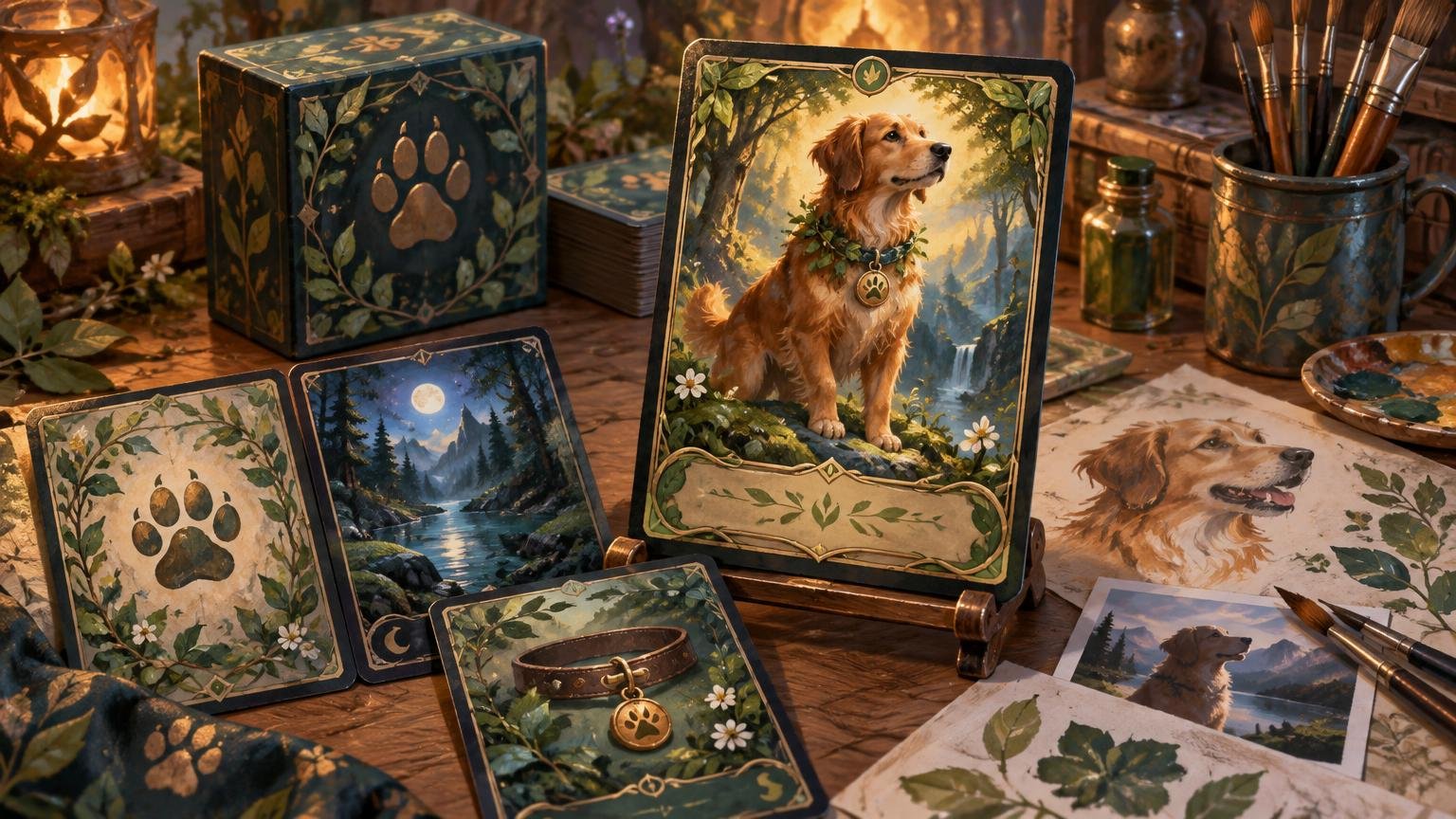
A full themed deck is better when you have enough varied material to sustain it: portraits, action photos, favorite sleeping spots, toys, outdoor settings, paw-print motifs, or commissioned illustrations. Even then, your pet does not need to appear on every card. A coordinated frame, palette, icon, or background treatment can carry the theme while individual cards retain distinct art.
For a larger birthday, holiday, memorial, or surprise project, the planning sequence matters. Choose the recipient, commander, working decklist, visual brief, supporting pieces, production method, and presentation in that order. The broader custom Commander gift-deck guide provides a useful framework for managing the entire gift rather than treating the focal card as an isolated novelty.
Give your pet a gameplay role
Choose a role that fits both the available photographs and the deck’s behavior. A confident portrait can anchor the commander. A sequence of expressive poses may work better as recurring creature tokens. A favorite blanket, garden, window, or walking route can inspire lands. A simple silhouette can become the deck-back mascot.
- Commander portrait: best when one image clearly represents the pet and remains recognizable in a tight crop.
- Signature creature: useful when you want the pet to appear frequently without replacing the commander’s established identity.
- Recurring token: ideal for a collection of varied expressions or poses that share the same gameplay label.
- Land motif: appropriate for environmental photographs, favorite places, or quieter images without a strong facial focal point.
- Deck-back mascot: good for a simplified portrait, paw mark, collar tag, or project logo.
- Presentation card: the right place for a dedication, date, story, or longer personal message that would clutter a gameplay card.
For reliable play, use an existing Magic card as the mechanical foundation. Choose a commander whose play pattern suits the pet’s character—energetic, protective, sneaky, food-motivated, territorial, or sociable—then change the visual presentation while keeping the underlying card identity easy to verify. Designing original abilities is a separate rules-and-balance project.
The official Commander format overview describes a deck as 99 cards plus its commander, generally singleton apart from basic lands, with deck construction constrained by the commander’s color identity. Freeze a working legal list before assigning artwork so late card swaps do not create unnecessary redesign work.
Write a five-line visual brief
A visual brief prevents the project from drifting as you work through dozens of files. It should be short enough to keep beside your card tracker.
- Personality: choose two or three traits, such as curious, dignified, chaotic, sleepy, or protective.
- Palette: pull a small group of colors from the pet’s coat, collar, eyes, bed, or favorite environment.
- Recurring motifs: select one or two elements, such as paw marks, tennis balls, fish, leaves, stars, or collar hardware.
- Crop rule: decide when to use face portraits, full-body images, environmental scenes, and detail shots.
- Hero exception: reserve a special border, brighter accent, or more formal portrait for the commander.
Repetition creates identity, but variation keeps the deck usable. For example, repeat a dark green border and brass collar-tag icon across the project while allowing creature cards, artifacts, lands, and tokens to use different compositions. The commander can then receive a wider portrait crop and a stronger accent without looking as though it came from another deck. For more complex projects, the full-deck alternate-art direction guide expands this system by card group.
Prepare pet photos for trading-card size
The most sentimental photo is not always the strongest card image. At card scale, recognizable posture, coat markings, eye direction, and separation from the background matter more than tiny details. Start with the clearest available original rather than a compressed screenshot or social-media download.
Look for a photo with a clean silhouette and enough space around the head, ears, tail, or paws to support the intended crop. Similar colors in the pet and background can merge when reduced. In that case, darken or soften the background, introduce a restrained outline or glow, or choose a different image. Avoid aggressive cutouts around whiskers and fur unless you can inspect the edge at final size.
Keep important facial features away from the card name, type line, rules box, and frame edges. A vertical portrait often suits a legendary creature, while a wider environmental photograph may be more useful for a land. Dense rules cards need calmer artwork behind their text areas than a token or nearly text-free basic land.
Use tokens and lands to extend the theme
Tokens are often the best place to use multiple pet photos because they recur during play and can support simpler layouts. Assign images according to function rather than at random. An eager running pose might become a creature token; a pet beside a food bowl can support Food; a favorite hidden object can suggest a Clue; and a prized toy can provide a visual hook for Treasure. Keep the token name, power and toughness where applicable, and relevant gameplay text immediately readable. A coordinated token set can assign personal photos to creature, resource, and helper roles without sacrificing functional labels.
Build a token inventory from the frozen decklist before finalizing artwork. Record every creature token, copy, emblem, counter reminder, double-faced card aid, day/night helper, initiative or monarch card, and other recurring table piece the list actually creates. This catches the small supporting files that otherwise get improvised at the end.
Basic lands do not need unique photos. A limited system is usually stronger: one environmental scene per land type, several controlled variants, or a shared composition with color-specific accents. The matching basic-land cycle guide explains how to make the mana base feel coordinated while preserving quick land recognition.
Design the back and gift presentation separately
The back should identify the project as clearly unofficial while remaining restrained enough to repeat across the deck. A simplified pet portrait, silhouette, paw mark, or collar-tag emblem will generally scale better than a detailed photograph. Add a project name or short line only if it remains readable at final size.
Use one approved master back rather than adjusting it card by card. Review its border, orientation, contrast, logo size, and clear space at actual card size. The custom proxy-back guide provides a focused process for controlling those repeated elements.
Put longer sentiment in the presentation rather than the gameplay frame. A deck-box insert can include the pet’s name, a dedication, an adoption or memorial date, the reason behind the commander choice, and a short guide to the project’s visual symbols. This gives the gift emotional context without forcing the recipient to read a paragraph across the battlefield.
Proof the project before producing the full set
Begin with a representative proof group: the commander, the darkest image, the densest rules card, one basic land, one token, the card back, and any unusual layout. Inspect each at final size, then place several together at approximate battlefield distance. A beautiful full-screen composition can become a dark rectangle once reduced and surrounded by other cards.
- Confirm that the commander is visually distinct from ordinary creatures.
- Check names, mana costs, type lines, rules text, power and toughness, and token labels for immediate recognition.
- Make sure ears, faces, and distinctive markings are not lost under frame elements.
- Compare dark and bright cards so the deck does not swing unpredictably in contrast.
- Verify every token and special card against the final decklist.
- Use one stable filename per card and add explicit revision markers rather than names such as final-new-2.
- Lock the approved back and shared frame assets before exporting the complete batch.
- Keep an editable project archive so future card replacements can match the original system.
For a 100-card project, track card name, underlying printing or identity, art assignment, crop status, text check, back version, export status, and revision number in one sheet. Run one proof pass for gameplay accuracy and another for visual consistency. The custom proxy project checklist covers decklist freezes, unusual-card handling, stable identifiers, and version control in more detail.
If you are testing the underlying list with existing MTG printings before completing the custom-art files, an MTG proxy-printing route can help with that conventional test stage. Verify custom-art upload and custom-back capabilities separately before treating any service as the production route for the personalized version.
Keep the finished cards transparent in play
Make personalized proxies unmistakably unofficial, and discuss their use with the playgroup before the game. Wizards’ public proxy statement distinguishes clearly non-authentic personal playtest cards used outside sanctioned events from counterfeits, while stating that sanctioned events generally require authentic Magic cards except for limited judge-issued proxy circumstances. Read Wizards’ public proxy statement for its exact wording.
That 2016 statement should not be treated as the complete current policy for every store or event. Wizards’ WPN Policy Hub maintains separate material concerning proxy use and counterfeits, and local organizers may set expectations for their events. Check with the organizer rather than assuming a personalized deck is accepted.
Frequently asked questions
Should my pet be the commander or a token?
Use the pet as the commander when you have one excellent portrait and want a strong focal point. Use the pet as a token when the deck repeatedly creates that token type or when you have several expressive images. A hybrid approach works well: one formal commander portrait plus playful token variants.
How do I stop a pet photo from making the card hard to read?
Choose a photo with clear subject separation, move detailed or high-contrast areas away from text, and test the crop at final size. If the image still competes with the rules box, darken or simplify that portion of the background rather than shrinking essential text.
Do I need 100 different pet photos?
No. One hero portrait, a handful of token images, a few environmental photographs, and repeatable frame elements can carry an entire deck. Use coordinated non-pet artwork for the remaining cards so the animal stays special rather than becoming visual wallpaper.
What should go on a pet-themed proxy back?
Use a simple mascot image, project name, small motif, and clear unofficial presentation. Avoid dense text and tiny photo details. Longer stories and dedications belong on a separate insert or display card.
Can a pet-themed Commander proxy deck be used in casual play?
It can be suitable for a casual group that knowingly accepts clearly unofficial proxies and can identify the represented cards. Discuss it before play. For a store event or any organized setting, ask the organizer and follow the applicable current policy.
Finish the commander before expanding the project
The safest next step is to complete one commander, one token, one land, and one back. Place them together, print or preview them at final size, and ask whether they look related and remain easy to identify. If that small set works, scale its rules across the deck. If it does not, changing four files is much easier than repairing 100.
References
- MTG Commander Format | Magic: The Gathering
- Family Photo MTG Token Sets: Turning Group Photos Into Game Pieces – Custom MTG Proxies
- Custom MTG Proxy Project Checklist: From Theme Idea to Finished Print Files – Custom MTG Proxies
- On Proxies, Policy, and Communication | MAGIC: THE GATHERING
- Policy Hub | WPN